媒資片庫流程
媒體資產管理(MAM系統)可以實現從媒體採集到轉換、儲存、分析和分發的完整工作流程。
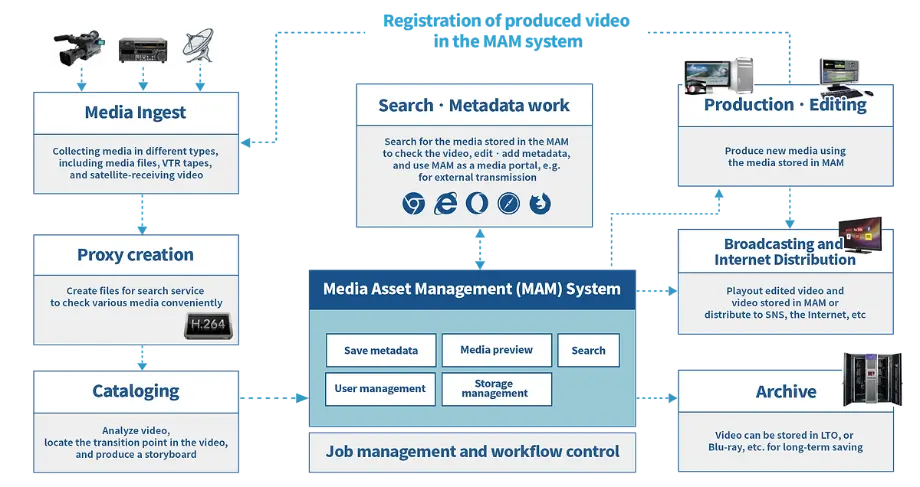
Media Ingest
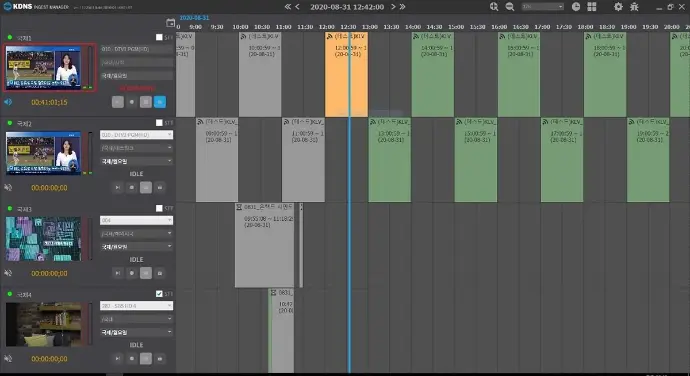
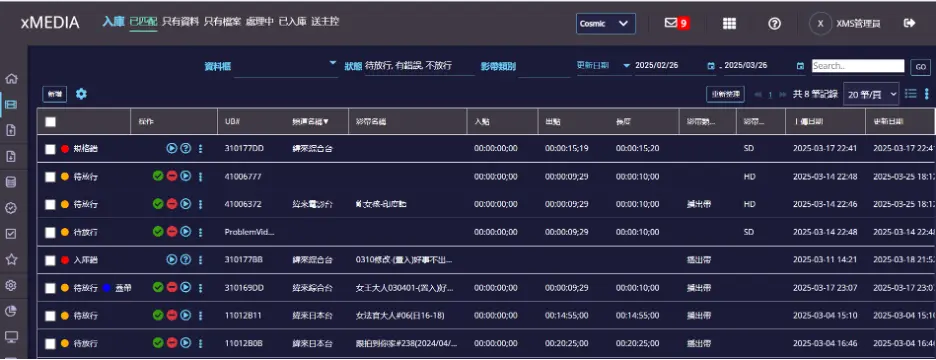
• Support Various Ingest : 支援多種Ingest方式:-
- File watch folder Ingest
- File web upload Ingest
- VTR Ingest
- SDI Ingest (scheduling)
- Camera Ingest
關鍵功能:
- Excel to Metadata convertor:Excel 轉元資料轉換器
- Metadata match ingest:元資料比對匯入
- TV Breaks segment ingest:電視廣告破口匯入
- Metadata editing:元資料編輯
- Subfolder name to Metadata convertor:子資料夾名轉元資料轉換器
- Schedule action automation:排程動作自動化
- Replacement ingest processing:覆蓋檔案匯入處理
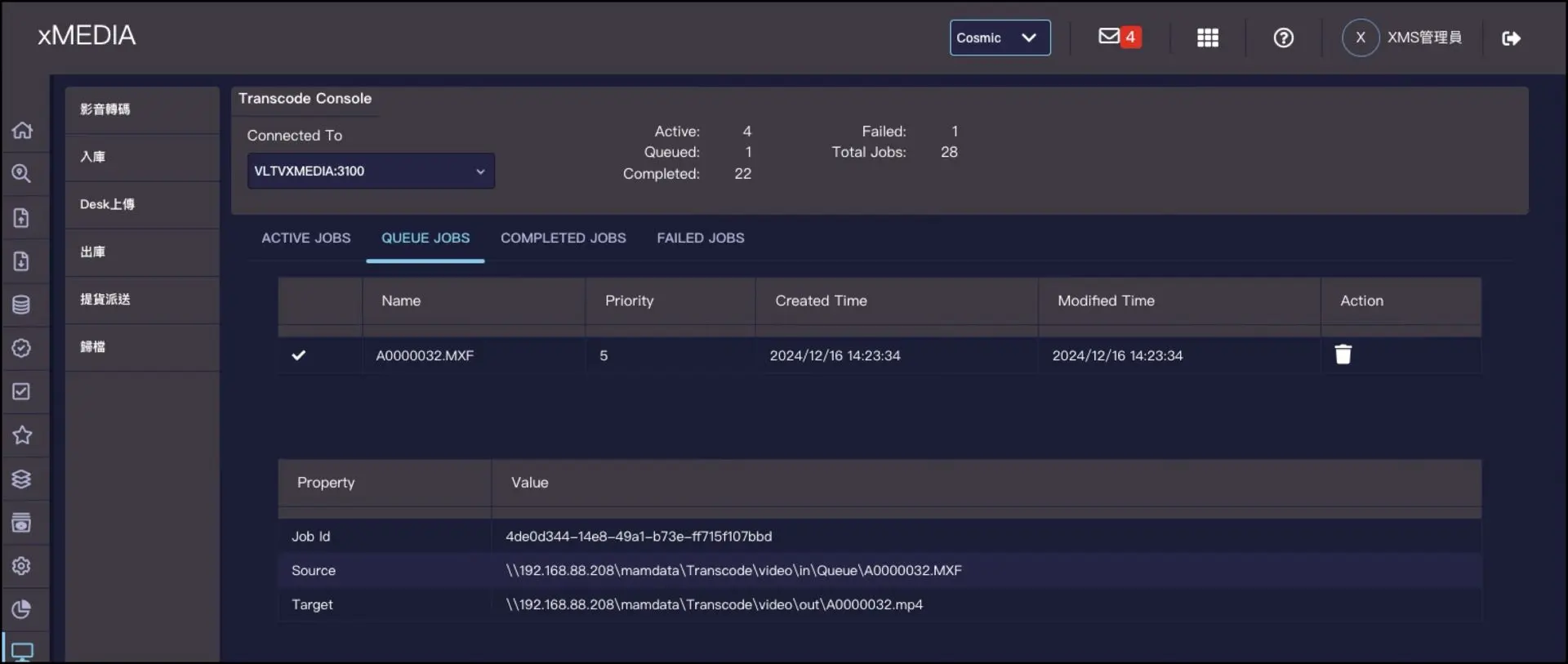
Proxy creation and conversion
- Transcode Server + Transcode engines Transcode Jobs Load balancing
- Monitor and control by transcode console
- Job profile interface with SDK
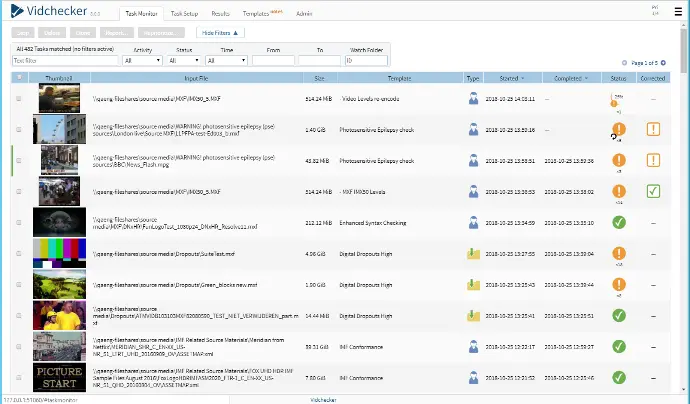
Auto QC
- 支援可檢視影片格式:MPEG-2 Long-GOP, XDCAM 系列格式, XAVC 系列格式, H.264,H.265.
- 支援影片檢查內容: 如 RGB 色域、上下黑邊/左右黑邊、色度、色度格式 、色條 (Color Bar)、品質/塊狀失真、等。
- 支援可檢視音訊格式:MP3, WAV, AAC, AES3
- 音訊檢查內容: 如位元深度、取樣率、音訊位元速率、音訊編解碼格式、音量峰值、音調、最小音量、等。
- 產生檔檢查報告結果,自動儲存報告。
- 支援規範範本:IMF, Netflix, Amazon Prime, iTunes
- 支援檢視封裝格式: IMF, MXF, MOV, MP4, AVI
- 支援封裝格式檢查內容:AFD、MOV Atom (iTunes)、MXF 結構、位元速率、封包識別碼、等等。
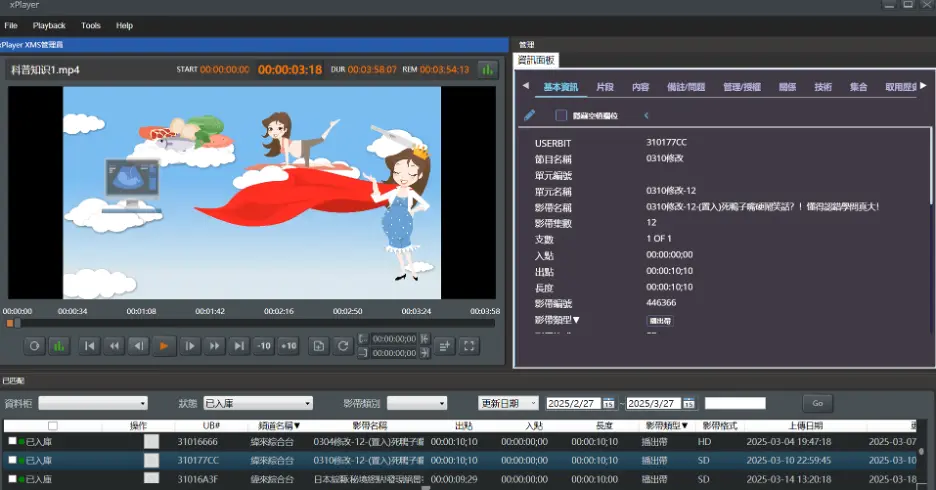
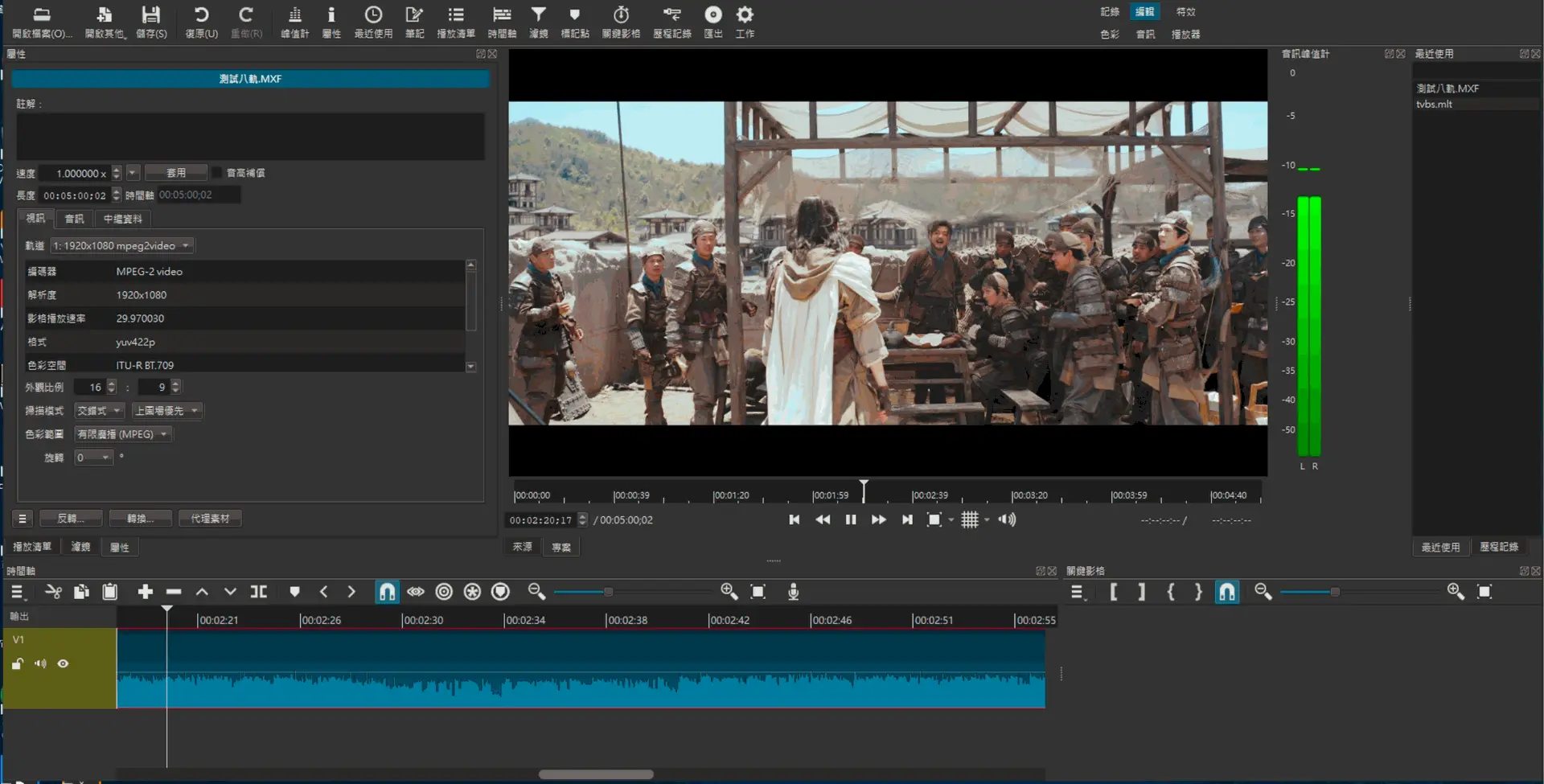
xPlayer (QC Player)
- Manual QC Tools (xPlayer - Win App edition)
- 8 or 16 VU meters
- Safety area display
- Linear timecode
- Player control
- Shuttle slider
- Ingest panel
- Cataloging panel
- Metadata
- Media Info
- Mark-in/out
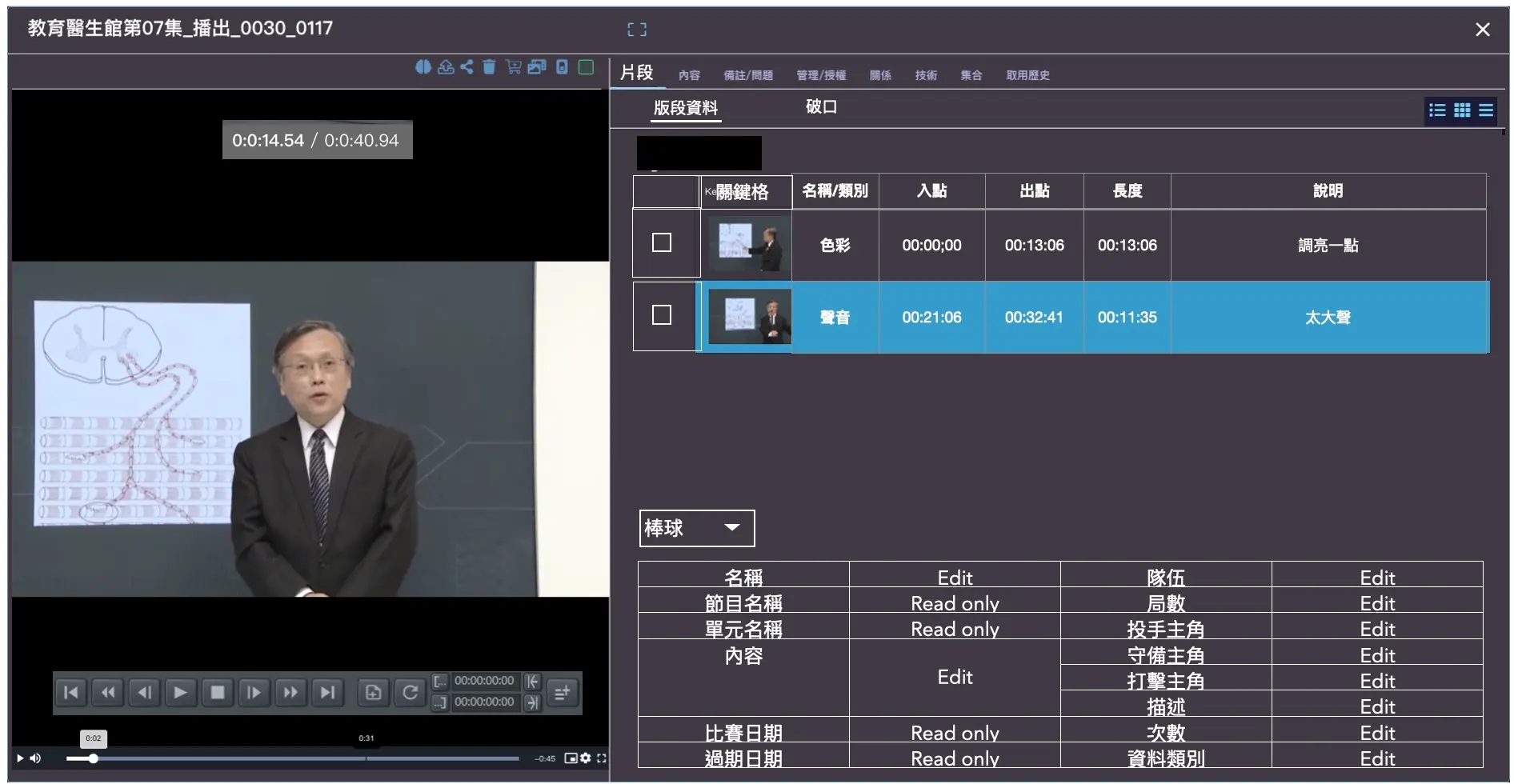
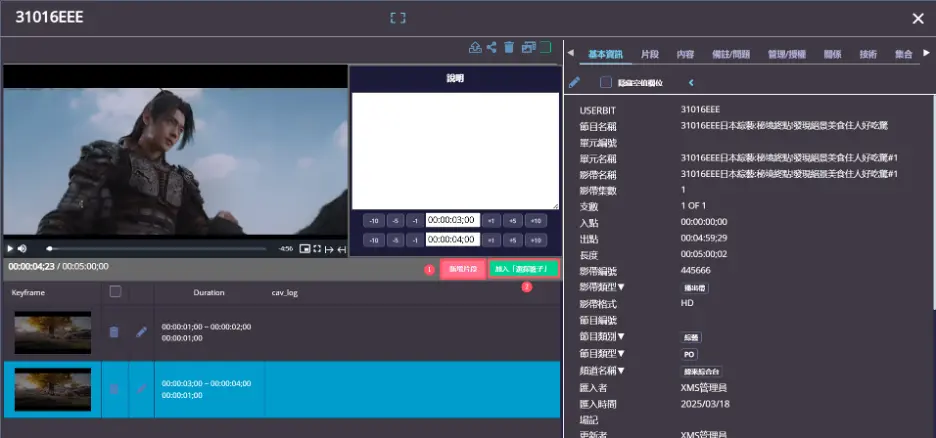
- Segments
- Full screen toggle
- Hot keys
- Login control
- Enable call-up by xMedia web app
- Supports popular SD, HD Video formats
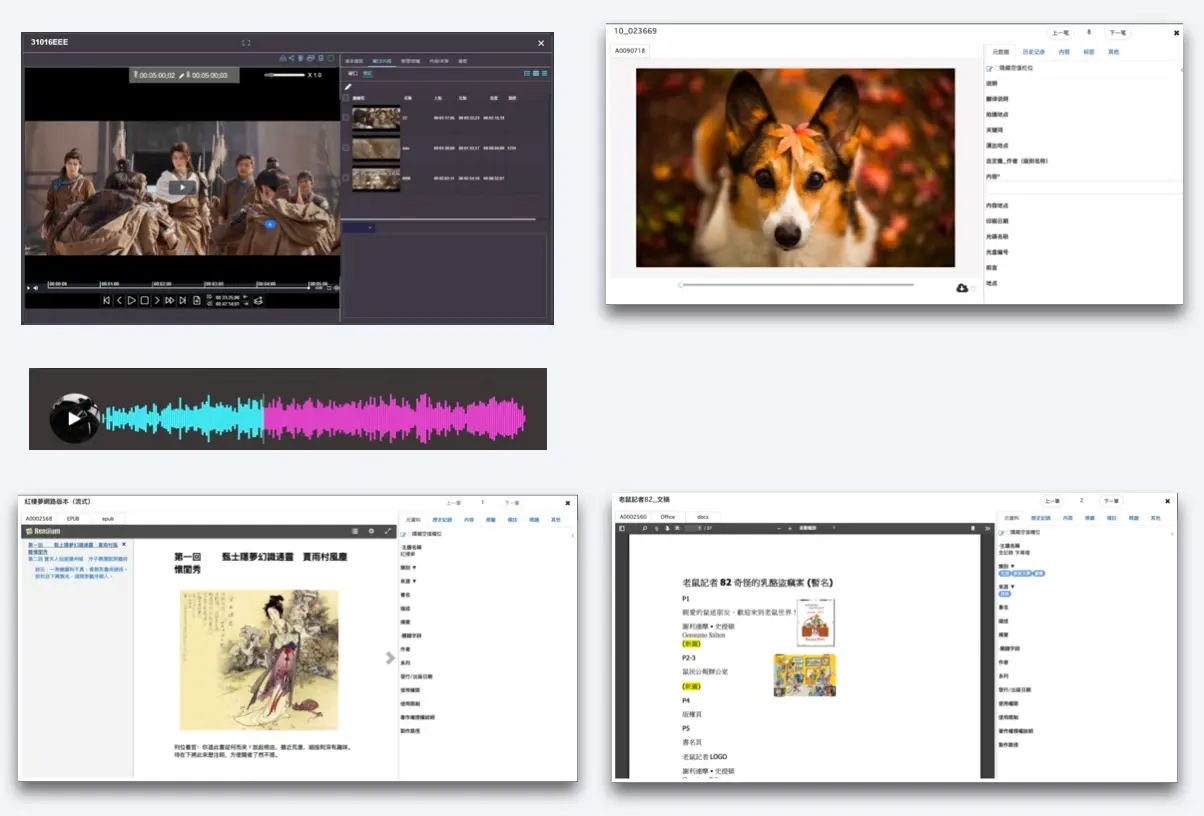
Asset Preview
Video Player (standard or Pro)
Audio Player (optional)
Image viewer (optional)
PDF reader (optional)
ePub reader (optional)
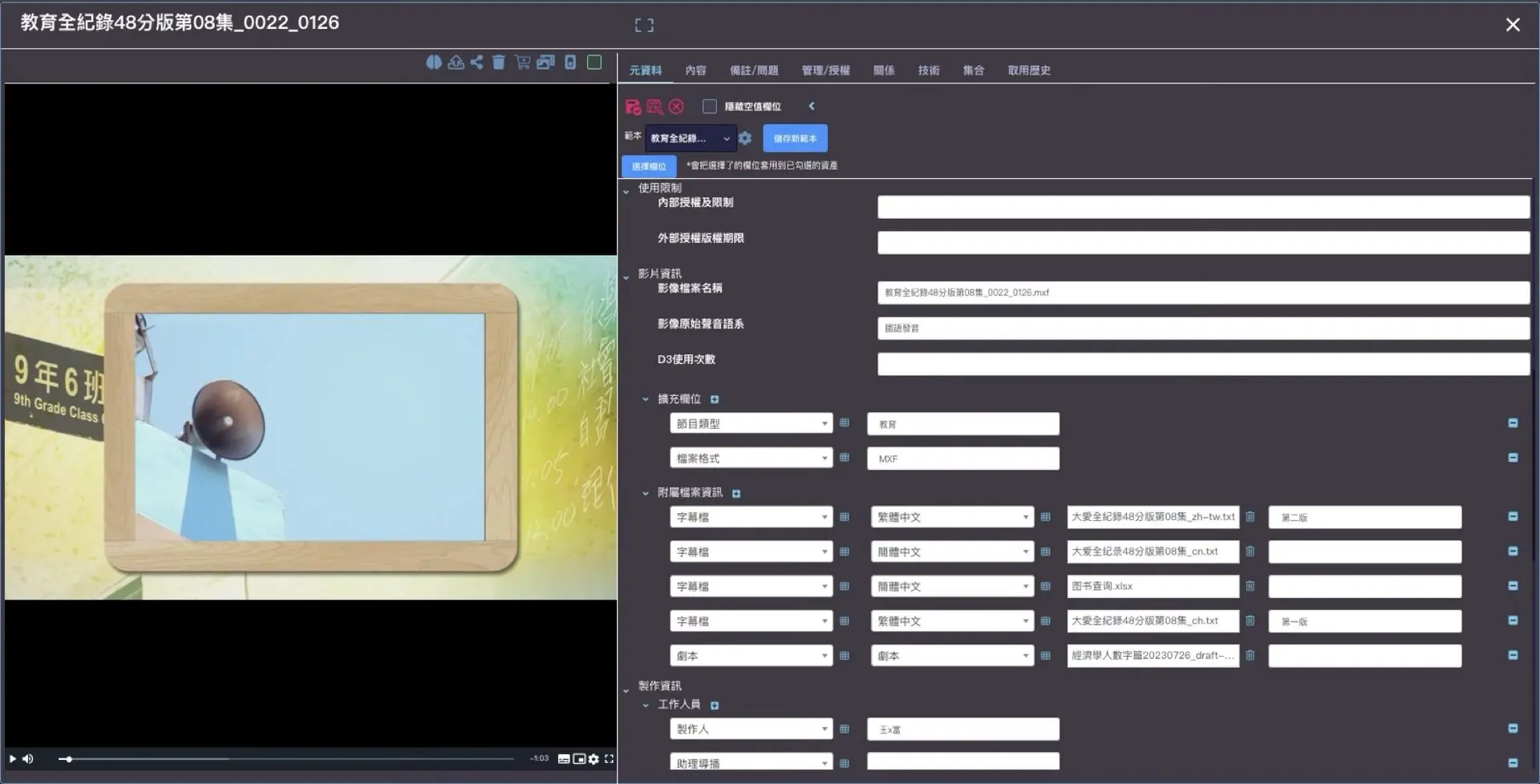
Metadata panel
Admin panel
Media Technical panel
Asset files panel
Content Panel
Asset Info Panel
AI Insights Panel
Multi-asset Lightbox
Toolbar (shop, order,AI, delete, replace, share, segment order, check-out)
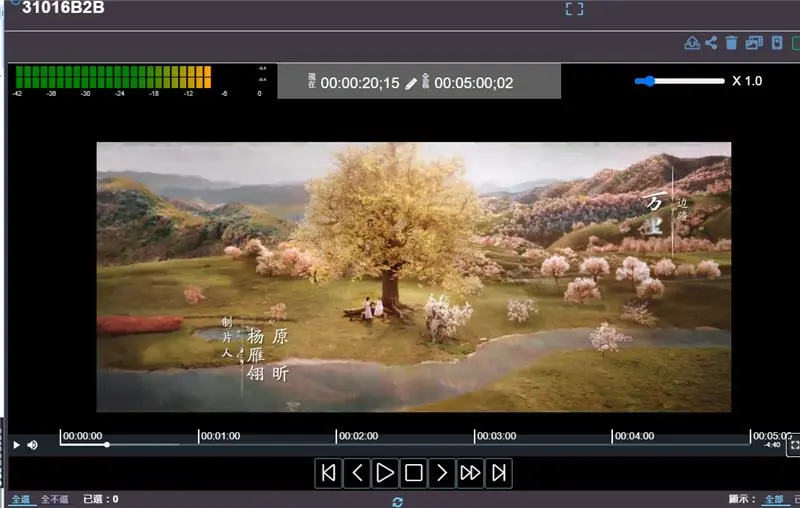
Cataloging
- Tasks assignment: batch or single
- Cataloging Tasks
- Cataloging: Bulk edit
- Cataloging: edit metadata
- Cataloging: edit segments
- Cataloging: edit relation
- Publish approval
- Check out/In after Publish
- Add to Collections
- Metadata versioning
Explorer 檢索及過濾
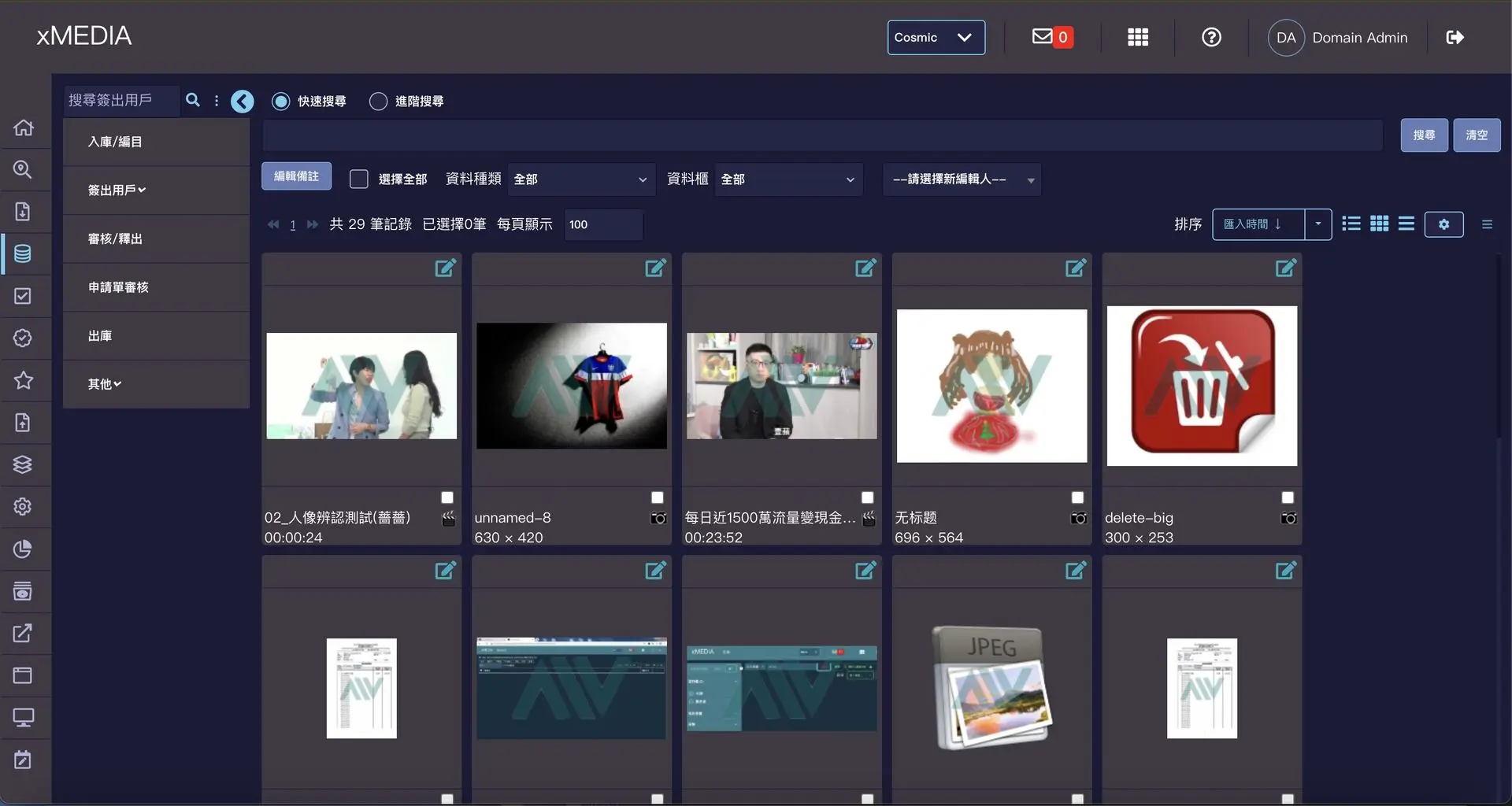
Powerful Search
快速檢索
- 進階檢索
- 內文檢索
- 標籤檢索
- 批次檢索
- 片段檢索
- AI洞察檢索
- 內文選項:同義詞
過濾檢索
- 以控詞
- 以檔案類型
- 以分類
- 以資料櫃
- 以管理/授權
- 以常用檢索
- 以集合
Order
Order for file(s)
Order for multi-segments or video
Approval and reject whole order or segment
Split order by security tag of asset
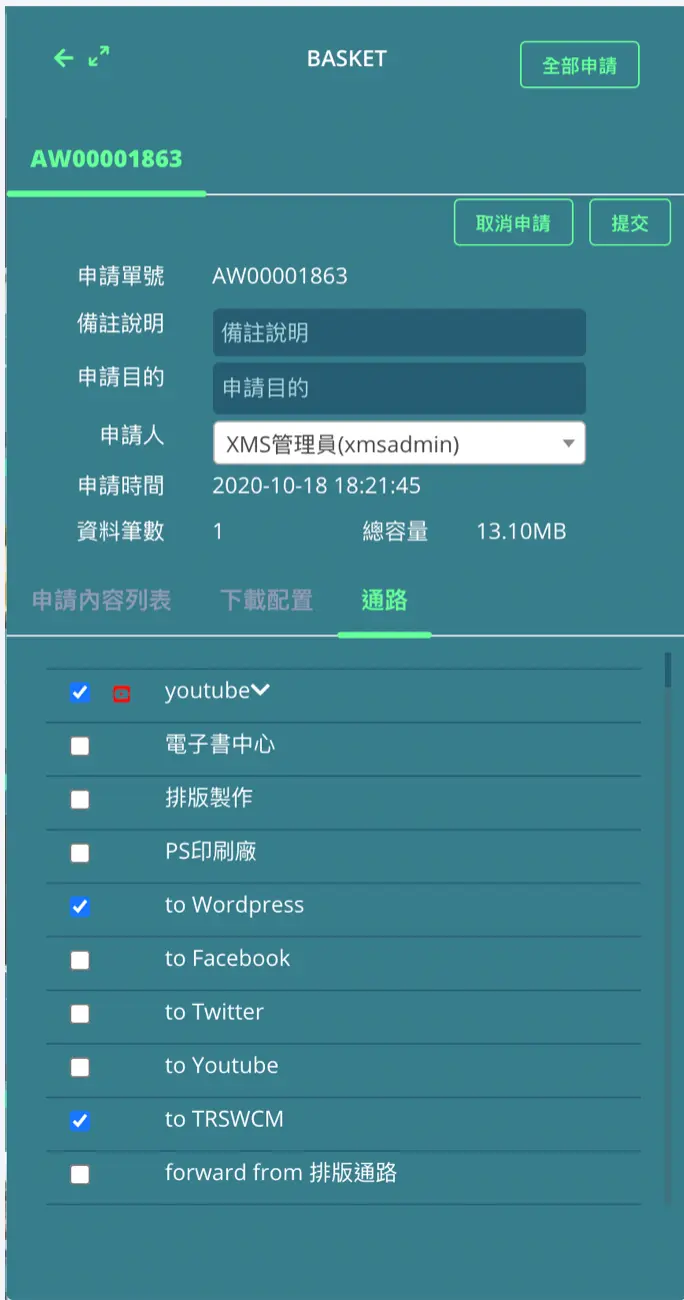
Download & Distribution
- Transfer to channels
- Channels can NTFS
- Channels can FTP
- Transfer Console
- Transfer permission control
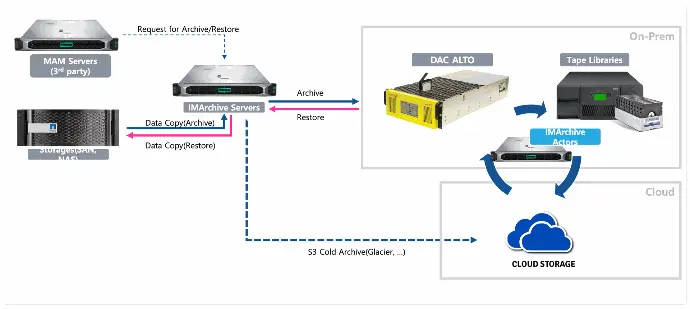
Hierarchical Storage Management
IMArchive(智能媒體檔案庫)是一個媒體檔案管理解決方案,能夠管理儲存在SSD/HDD RAID上的媒體數據,並將其轉移到LTO、S3等對象式存儲上,以實現高效的存儲與管理。
IMArchive具備分層存儲管理功能,可在不同存儲系統中安全儲存和管理媒體。開發團隊整合了超過20年的檔案技術經驗,專注於磁帶庫控制、LTFS技術和監控技術。IMArchive基於標準的LTFS實現,確保數據隨時可恢復,用戶可通過網頁瀏覽器進行檔案驗證與恢復操作。
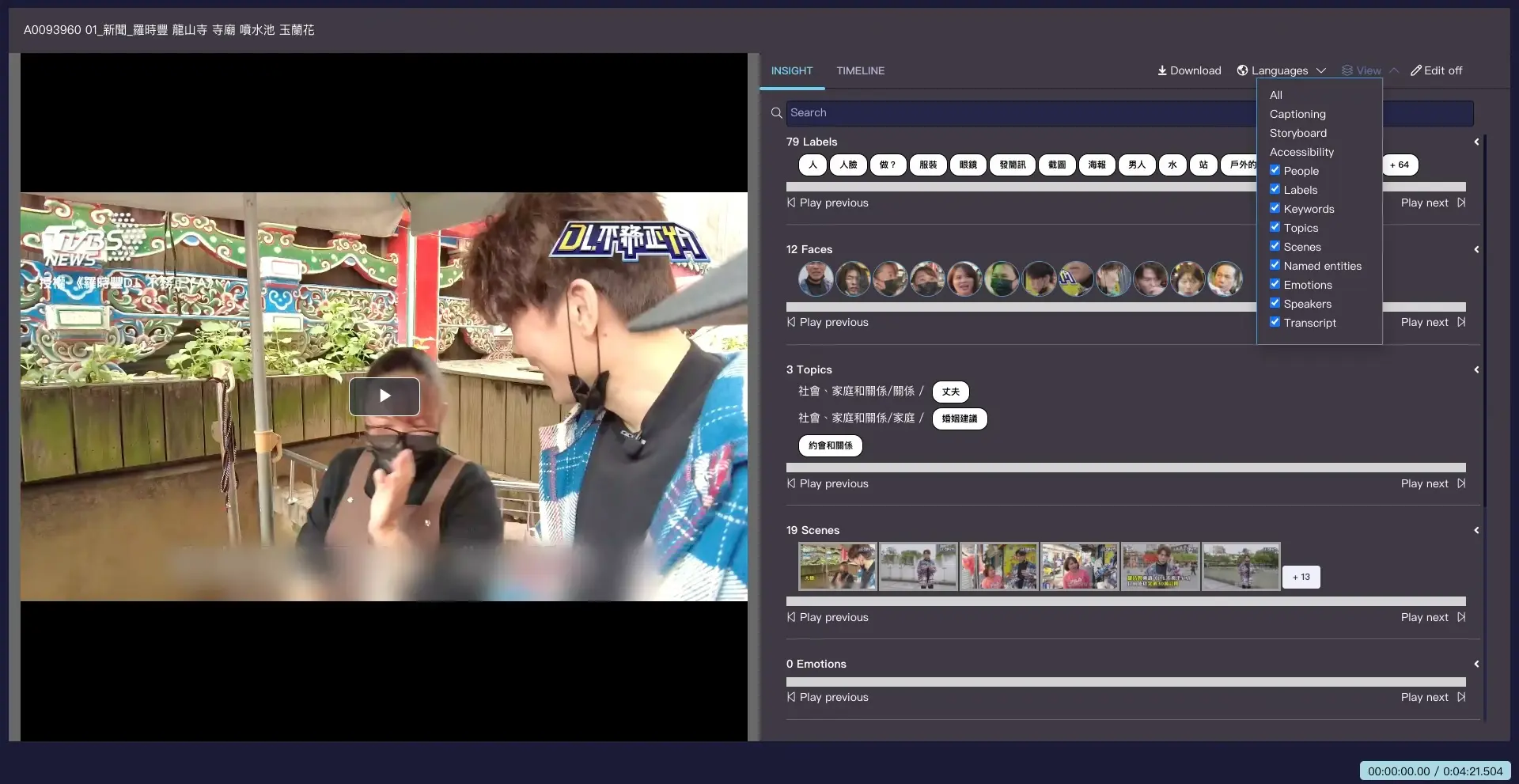
加強編目資料豐富度
影片片段資料:Segment metadata by manual mark-in/out key-in
影像深度資料:mage Metadata enrich by auto AI insight tool
影片深度資料:Video metadata enrich by auto AI indexer tool
文件內容資料:Document content enrich by auto extraction media service
知識點資料:人工把知識點加入(參見:知識點管理簡報)
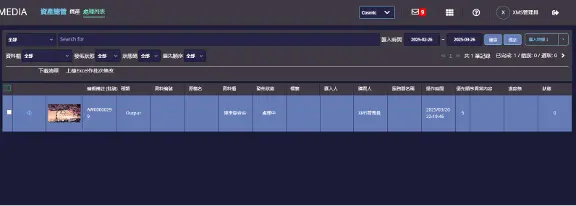
Asset Manager
- Asset list
- Single asset
- Asset Process list
- Asset files
- File move list
- Tape
- Tape files
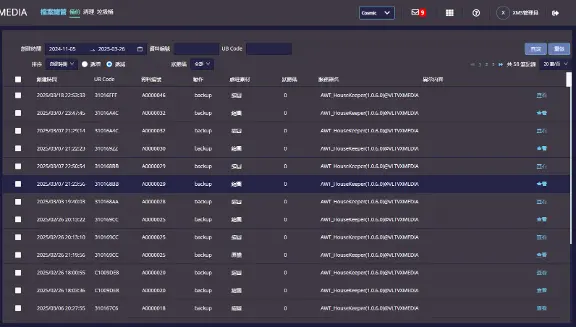
File Manager
- Modules:
- Backup by rules
- Purge by rules
- Trash
- Features
- 能夠手動刪除媒體 (高品質及低解預覽檔案)。
- 能夠手動刪除媒體資源的檔案。
- 能夠設置清除規則去自動刪除媒體資源及檔案。
- 可以鎖定特定媒體資產來防止被刪除。
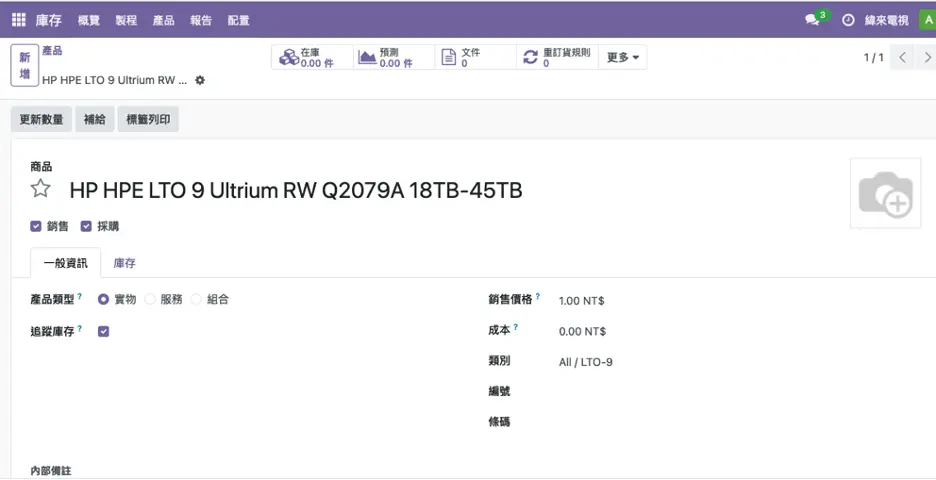
Tape Inventory
- Products
- Product category
- Warehouse
- Locations
- Transfer-IN
- Transfer-OUT
- Internal transfer
- Scape
- Replenish
- Reorder level
- Inventory settings
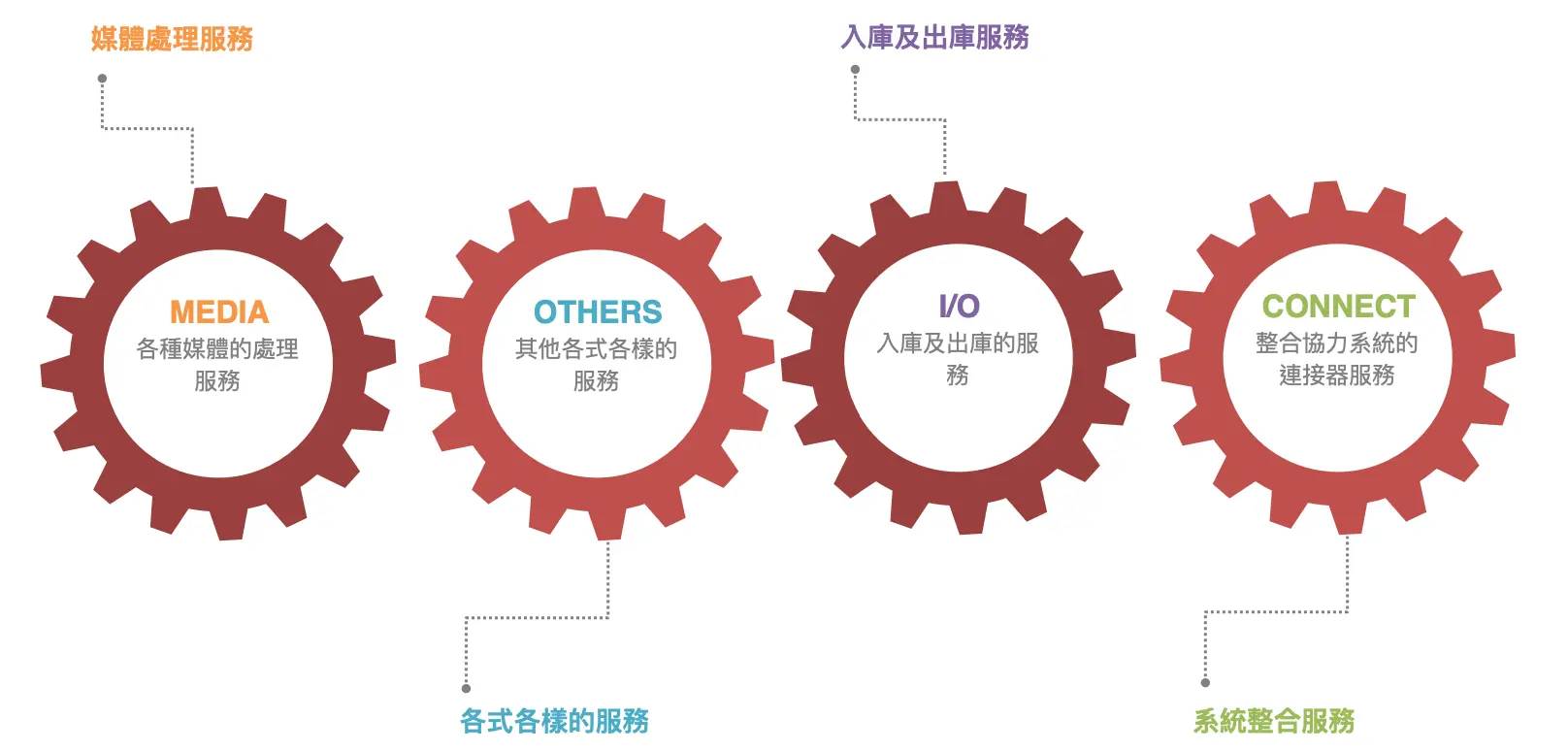
Media Services
Service Engine
Engine它是眾多Service的一個集合
Service & PlugIns
每個Service它有時會因應不同要處理的媒體檔案或子服務,而配裝各種不同的PlugIns。
Start to build your robust activity with these powerful tools
Make your company a better place.